Sweden has one national source for road conditions, and it’s a web map, not an app. Here’s which layers to switch on, how to read them without speaking Swedish, and what to use around the big cities, on ferries and across the border.
When you need this
You’re planning tomorrow’s drive and it’s October or later. You’re about to set off on a long leg through the north, or over a mountain pass toward Norway. A variable sign has dropped the limit, or the queue ahead has stopped, and you want to know why. Or you’re driving a heavy motorhome on minor roads in spring and need to know where weight limits apply.
The national map: Trafikverket’s traffic information
Trafikverket, the Swedish Transport Administration, runs the state roads and publishes a free traffic-information service for roads, trains and road ferries. The road part is a map at trafikverket.se/trafikinformation/vag. It needs no account, and there is a text view too that lists the traffic situation county by county.
Two things surprise visitors. First, there is no national Trafikverket app for road conditions. Trafikverket’s own suggestion is to save your map view as a bookmark or a home-screen shortcut on your phone. Second, the map is in Swedish only. Trafikverket’s English pages send you back to the Swedish service.
You choose what the map shows by switching layers on and off:
| Layer (Swedish) | What it shows | When to use it |
|---|---|---|
| Trafikläget | Incidents and roadworks with a big impact on traffic | Every drive |
| Vägarbeten, händelser | All roadworks, and incidents with restrictions such as closures | Every drive, summer especially |
| Väglagsinformation | Road conditions by stretch | October to April |
| Vägväder | Road-weather stations with camera photos | Winter, and any doubtful weather |
| Vägfärjor | Road-ferry routes and departures | Coast, archipelagos, lakes |
| Tjälskador | Frost damage and reduced weight limits | Spring, heavy vehicles and motorhomes |
The same map also shows rest areas, speed cameras and traffic cameras.
How to check a route, step by step
- Open the map in your phone or laptop browser.
- Switch on the layers you need. In winter that’s road conditions and road weather with cameras. On any drive add the traffic situation, roadworks and incidents.
- Follow the whole route, not just your starting point. Click a coloured stretch or an icon for details; the menu explains what each icon means.
- Look at the camera photos. They show the actual surface.
- Check SMHI’s weather warnings for each county you’ll cross. SMHI, the national weather service, issues yellow, orange and red warnings, and ice is among the hazards they cover.
- Save the view as a home-screen shortcut, so you can reopen it at stops.
- Recheck before a mountain pass.
A browser’s built-in page translation handles the menus. A handful of words do most of the work:
| Swedish | Means |
|---|---|
| väglag | road conditions |
| halka | slippery road |
| avstängd väg | closed road |
| kolonnkörning | convoy driving behind a lead vehicle |
| vägarbete | roadworks |
| omledning | detour |
What the colours and cameras tell you
Road-condition stretches are coloured by category. When Trafikverket described them in 2018, the scale ran from no problems through risk of difficult conditions and difficult conditions to snow- or ice-covered road. The menu shows the current legend.
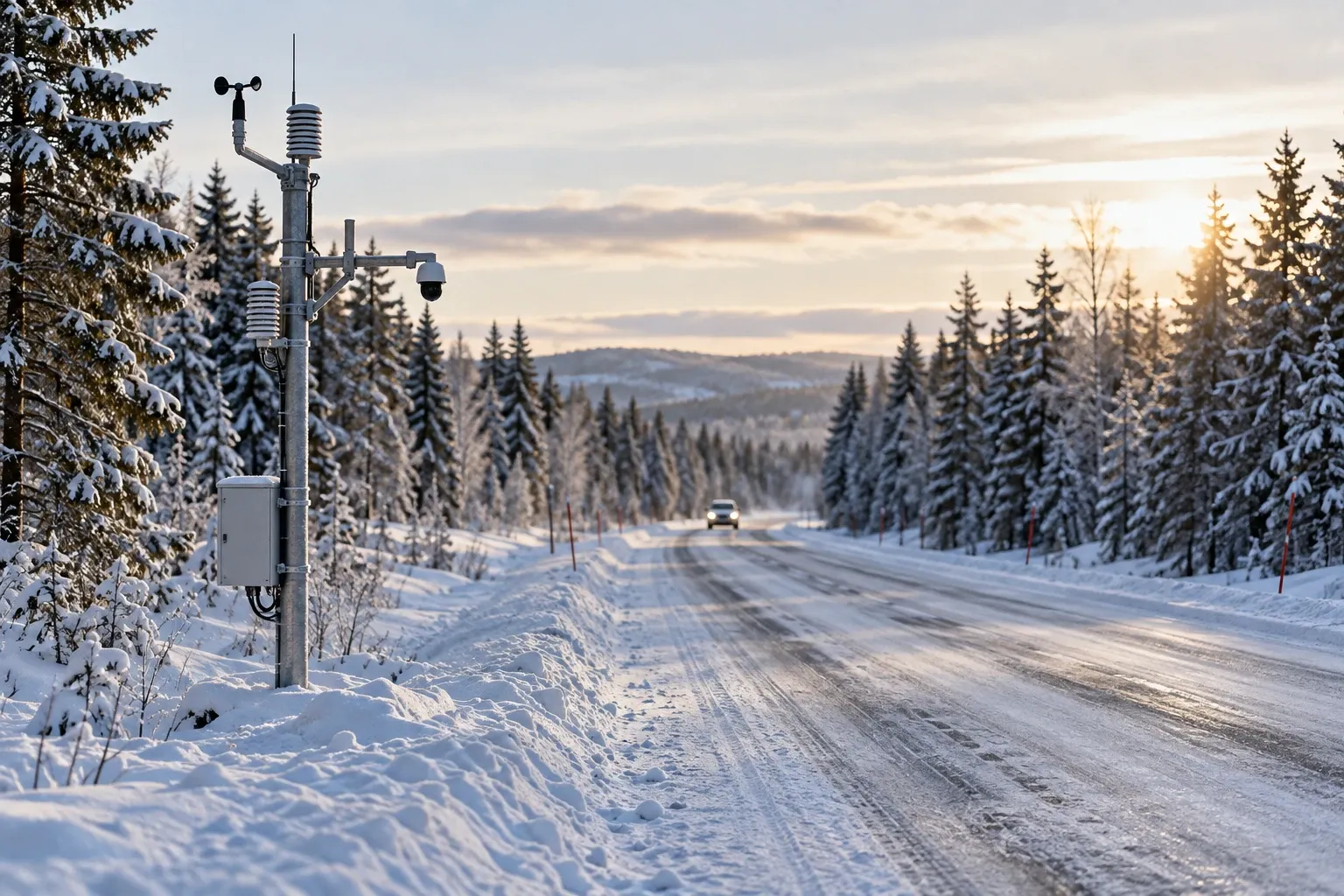
These reports are assessments by Trafikverket’s traffic controllers, based on camera images, weather forecasts and reports from the contractors who plough and grit the roads. New for winter 2025/26, measurements from cars in traffic also tell Trafikverket whether a road is slippery. About 750 road-weather stations feed the map, and their cameras keep photographing the road day and night.
Treat the map as a strong hint, not a promise of grip. Reports are updated regularly, and black ice can form between updates. Conditions can also differ sharply between neighbouring roads. Trafikverket ploughs busy roads first and salts them, while quiet roads are usually sanded and may keep a few centimeters of snow. Municipal streets and private roads aren’t Trafikverket’s at all: each municipality or road association sets its own ploughing order.
Trafikverket’s winter organisation runs at full strength from October to April. For what to actually do on a slippery road, see our guide to winter driving in Sweden.
Stockholm and Gothenburg: Trafiken.nu
Around the two biggest cities, Trafiken.nu adds local detail. It’s a joint service of Trafikverket, the cities of Stockholm and Gothenburg and Västtrafik, as a website and two free apps published by the cities. The apps show current road conditions and live images from about 300 traffic cameras in Stockholm and just over 200 in Gothenburg. They also let you subscribe to alerts for disruptions on your route.
They’re in Swedish, and both apps state that they are not navigators: they’re for checking before you set off. Outside the two metro areas, the national map is your source.
Ferries, Norway and Finland
Sweden’s road ferries have their own free app, Trafikinfo Färjerederiet. It shows timetables, the next departure and real-time disruption messages, and the national map has a ferry layer too. How the crossings work is in our road ferries guide.
Trafikverket’s map stops at the border. Each neighbour has its own official service:
| Where | Service | Notes |
|---|---|---|
| Norway | vegvesen.no/trafikk, the Vegvesen trafikk app, phone 175 | Run by the Norwegian Public Roads Administration; keeps an automatically updated list of closed roads in extreme weather |
| Finland | Fintraffic’s Traffic Situation (liikennetilanne.fintraffic.fi) | Road conditions by section and road-condition cameras along main roads; English site available |
Mountain roads in the far north close or run in convoy in storms. The E10 between Björkliden and Riksgränsen is the classic case. When Trafikverket runs a convoy, traffic waits and then drives in a group behind a lead vehicle, and the end time is often only preliminary. Near Abisko and Björkliden, Trafikverket also runs preventive avalanche control, because avalanches from the Nuolja range disrupt the E10. Before a leg like that, plan a fallback night. Our guide to the Sweden–Norway border covers the passes.
On the road: radio, signs and your phone
You may not hold your phone while driving. Swedish law lets a driver use a phone or other communication equipment only if it doesn’t impair driving, and never in the hand. That covers checking the map on the move. Mount the phone and set everything before you start, and recheck at stops.
While you drive, two other sources do the job:
- The radio. Sveriges Radio’s local P4 channels carry traffic news from a traffic desk staffed around the clock, and Trafikverket’s winter advice points drivers there too.
- Variable speed signs. Trafikverket lowers them when there’s a risk of ice or queues. A limit in a red ring is binding; one without a ring is a recommendation. See Swedish speed limits.
Whatever the map says, the law asks you to match your speed to road, weather and visibility, and to be able to stop within the distance you can see.
To report a fallen tree, debris or a broken barrier on a state road, call Trafikverket’s fault line (number in the table below), open around the clock. Call 112 only if someone is in danger. If your own car stops, follow our roadside assistance guide.
Spring thaw: as the ground thaws, Trafikverket can cap weight on weak roads at 12, 8 or 4 tonnes. Those roads are on the map’s frost-damage layer. Motorhome drivers should read motorhomes in a Swedish winter.
Practical information
| Item | Detail |
|---|---|
| National road map | trafikverket.se/trafikinformation/vag — free, no account, Swedish only |
| National road app | None; save the map as a home-screen shortcut |
| Stockholm and Gothenburg | Trafiken.nu website and two free city apps (Swedish) |
| Road ferries | Trafikinfo Färjerederiet app, free |
| Camera refresh at road-weather stations | Every 10 minutes, also at night |
| Weather warnings | SMHI: yellow, orange, red |
| Radio | Local Sveriges Radio P4 channel; traffic desk 020-9 99 4 44, staffed around the clock |
| Non-urgent hazard on a state road | Trafikverket 0771-921 921, around the clock |
| Danger to life | 112 |
| Norway | vegvesen.no/trafikk and the Vegvesen trafikk app |
| Finland | liikennetilanne.fintraffic.fi |
| Real-time data for developers | Free DATEX II subscription from Trafikverket |
FAQ
How do I check road conditions in Sweden?
Open Trafikverket’s free traffic map at trafikverket.se/trafikinformation/vag and switch on the road-condition and road-weather layers. Coloured stretches show the conditions, and camera photos from road-weather stations show the actual surface, refreshed every ten minutes. Add SMHI’s weather warnings for the counties ahead, and in Stockholm or Gothenburg check Trafiken.nu too.
Does Trafikverket have an app for road conditions?
Not a national one. Trafikverket’s road map is a web page; it suggests saving your map view as a home-screen shortcut on your phone. The two Trafiken.nu apps cover only the Stockholm and Gothenburg areas, with road conditions, traffic cameras and route alerts. Road ferries have their own app, Trafikinfo Färjerederiet. All are free.
Is Trafikverket’s traffic map available in English?
No. The map and its menus are in Swedish, and Trafikverket’s English pages point back to the Swedish service. A browser’s built-in page translation handles the menus well enough, and a handful of words do most of the work: väglag (road conditions), halka (slippery), avstängd (closed), kolonnkörning (convoy) and vägarbete (roadworks).
How do I know if a mountain road is closed?
Check Trafikverket’s map for incidents with restrictions on the whole route, and listen to the local P4 channel. In storms, Trafikverket closes roads such as the E10 between Björkliden and Riksgränsen or lets traffic through only in convoy behind a lead vehicle. End times are often preliminary, so plan a fallback before you set off.
Can I use my phone to check traffic while driving in Sweden?
Not in your hand. Swedish law lets a driver use a phone only if it does not impair driving, and forbids holding it. Check the map before you leave and at stops, mount the phone if you use it for navigation, and rely on the radio and variable road signs while moving.
Where do I get road conditions for Norway or Finland?
Trafikverket’s map covers Swedish roads. For Norway, the Norwegian Public Roads Administration publishes traffic information at vegvesen.no/trafikk, in its Vegvesen trafikk app and on phone 175. For Finland, Fintraffic’s Traffic Situation service shows road conditions and road-condition camera photos, with an English version.
Related guides
- Winter driving in Sweden — what to do once the map says ice: speed, kit, ploughs and convoys.
- Winter tyres in Sweden — the conditions on the map are what trigger the tyre rule.
- Offline maps and apps for Sweden — the other apps worth installing before you lose signal.
- Road ferries in Sweden — how the free crossings work and when they queue.
- Roadside assistance in Sweden — what to do if the car stops on a cold road.
Facts verified 2026-10-14. Sources: Trafikverket, Sveriges Radio, SMHI via Krisinformation.se, Sveriges Riksdag (trafikförordningen), Statens vegvesen, Fintraffic — full register in this topic’s source file. Found something outdated? Tell us and we’ll fix it.